

Drone Not Taking Off? 10 Reasons And How To Fix Each One
June 20, 2026You set everything up, powered on the drone, and pressed the throttle… nothing. Or maybe the motors spin up but the drone just won’t lift. It’s one of the most frustrating things you can experience as a drone pilot, whether you’re a beginner or have been flying for years.
The good news? Most takeoff issues are actually pretty easy to diagnose and fix once you know what to look for. Let’s go through the 10 most common reasons a drone won’t take off and exactly what you can do about each one.
1. The Battery Is Low or Not Properly Inserted
This is the number one cause and the first thing you should always check. If your battery is below a certain level (usually around 10-20%), most drones will refuse to take off as a built-in safety measure. And sometimes the battery is just not clicked in fully, which means the drone is getting no power at all even if the lights come on.
How to fix it: Charge your battery fully before flying. Make sure it clicks or locks into place securely. If your drone has a battery indicator, check it from the app or the battery’s built-in LED lights before you even try to arm the motors.
It’s also worth knowing that cold weather drains drone batteries significantly faster than normal. If you’re flying in winter or in a cold climate, your battery might show 80% but behave like it’s at 40%. Always warm your batteries up before flying in low temperatures, and keep a spare battery in an inside jacket pocket to maintain its temperature until you need it.
2. The Motors Are Not Armed Properly
Most drones require a specific stick combination to arm the motors before takeoff. If you skip this step or do it incorrectly, the drone simply won’t respond when you push the throttle up.
How to fix it: Check your drone’s manual for the correct arming gesture. For most DJI drones, this means pushing both sticks down and inward at the same time. If your app shows “motors not started,” that’s your sign you haven’t armed correctly.
Some drones also have a safety timeout, meaning if you arm the motors but don’t take off within a few seconds, they disarm automatically. This catches a lot of new pilots off guard. If your motors spun for a moment and then stopped, just re-arm and take off promptly.
3. The GPS Signal Is Too Weak
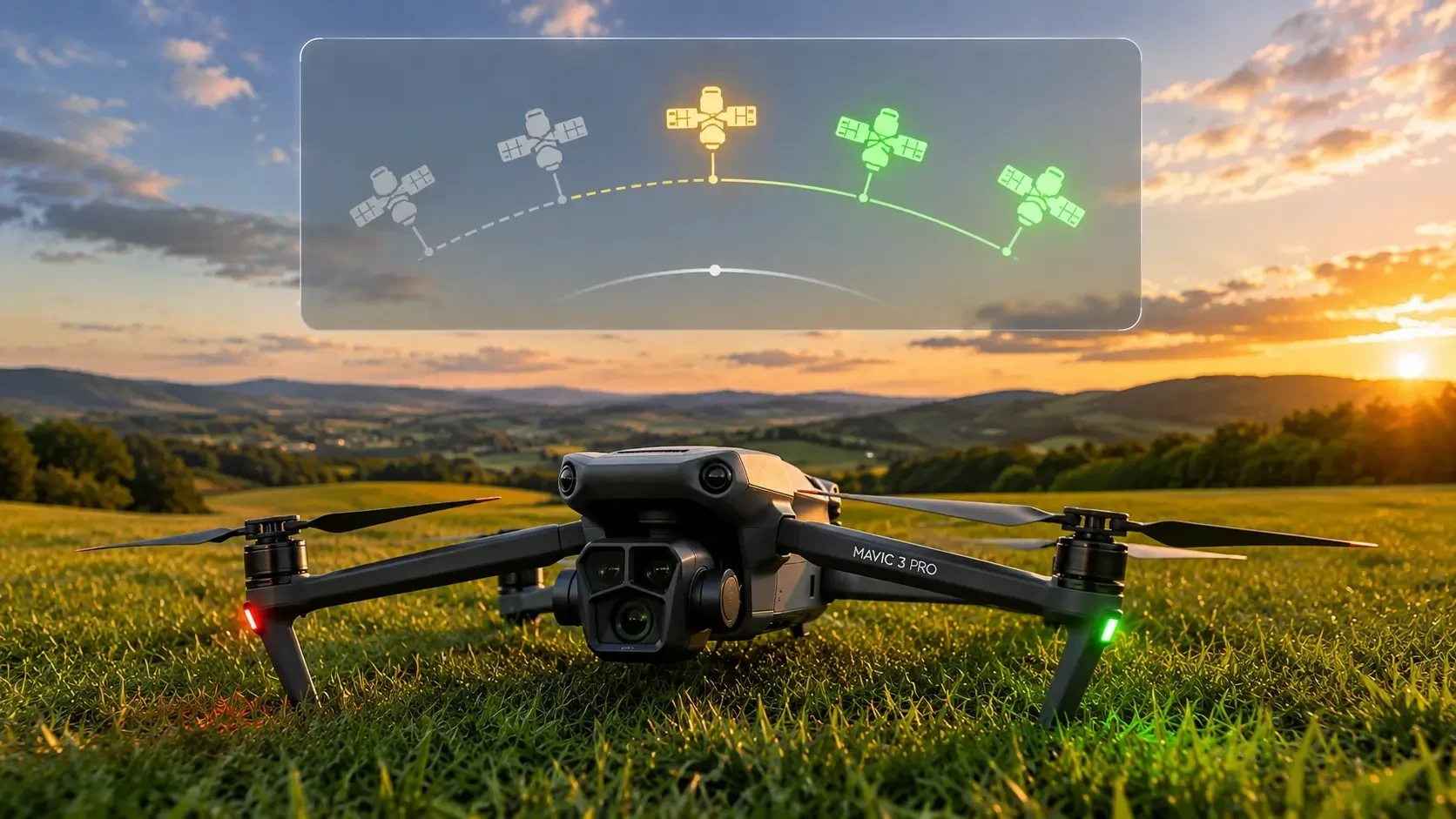
A lot of modern drones won’t take off until they’ve locked onto a minimum number of GPS satellites. This is especially true if you’re flying in GPS mode. If the drone is sitting indoors, near tall buildings, under heavy cloud cover, or you just powered it on and haven’t waited for it to sync, it can refuse to lift off.
How to fix it: Move to an open area away from tall structures. Wait a minute or two after powering on before trying to take off. Check your controller or app to see how many satellites are connected. Most drones need at least 6-8 for a safe GPS lock.
What a lot of people don’t realize is that GPS accuracy also depends on the time of day and your geographic location. Satellite positions shift throughout the day, and in some regions you may consistently get weaker signals at certain hours. If you’re flying in the same spot regularly and always struggling with GPS, try flying at a different time of day and see if it makes a difference.
Also worth noting, some drones have a “GPS required” mode and an “ATTI mode” (Attitude mode) where GPS is not needed for takeoff. ATTI mode is less stable and not recommended for beginners, but it’s good to know it exists if you ever need to fly in a GPS-poor environment. Check your specific drone’s manual to see if this option is available.
4. The Compass Needs Calibration
If your drone’s compass is off, it doesn’t know which direction it’s facing and won’t feel safe taking off. This happens commonly when you travel to a new location, fly near metal structures, or if you’ve recently updated firmware.
How to fix it: Use your drone’s companion app to run a compass calibration. This usually involves rotating the drone slowly in a figure-eight or horizontal and vertical circles as the app guides you. Do this every time you fly in a new location.
One tip: never calibrate your compass on top of a car, near a metal fence, or on reinforced concrete if you can avoid it. These surfaces can interfere with the calibration and actually make things worse. Find a clear patch of grass or dirt away from any large metal objects and calibrate there.
5. The Propellers Are Installed Incorrectly
Each propeller on a drone is designed to spin in a specific direction, and they’re usually marked accordingly. If you’ve recently replaced props or accidentally swapped them, the drone either won’t take off or will flip over the moment it tries to lift.
How to fix it: Check that each propeller is on the correct motor. Most drones label the propellers (CW and CCW) and the motors. Make sure each prop is fully tightened. A loose prop can also cause a drone to vibrate and fail to lift properly.
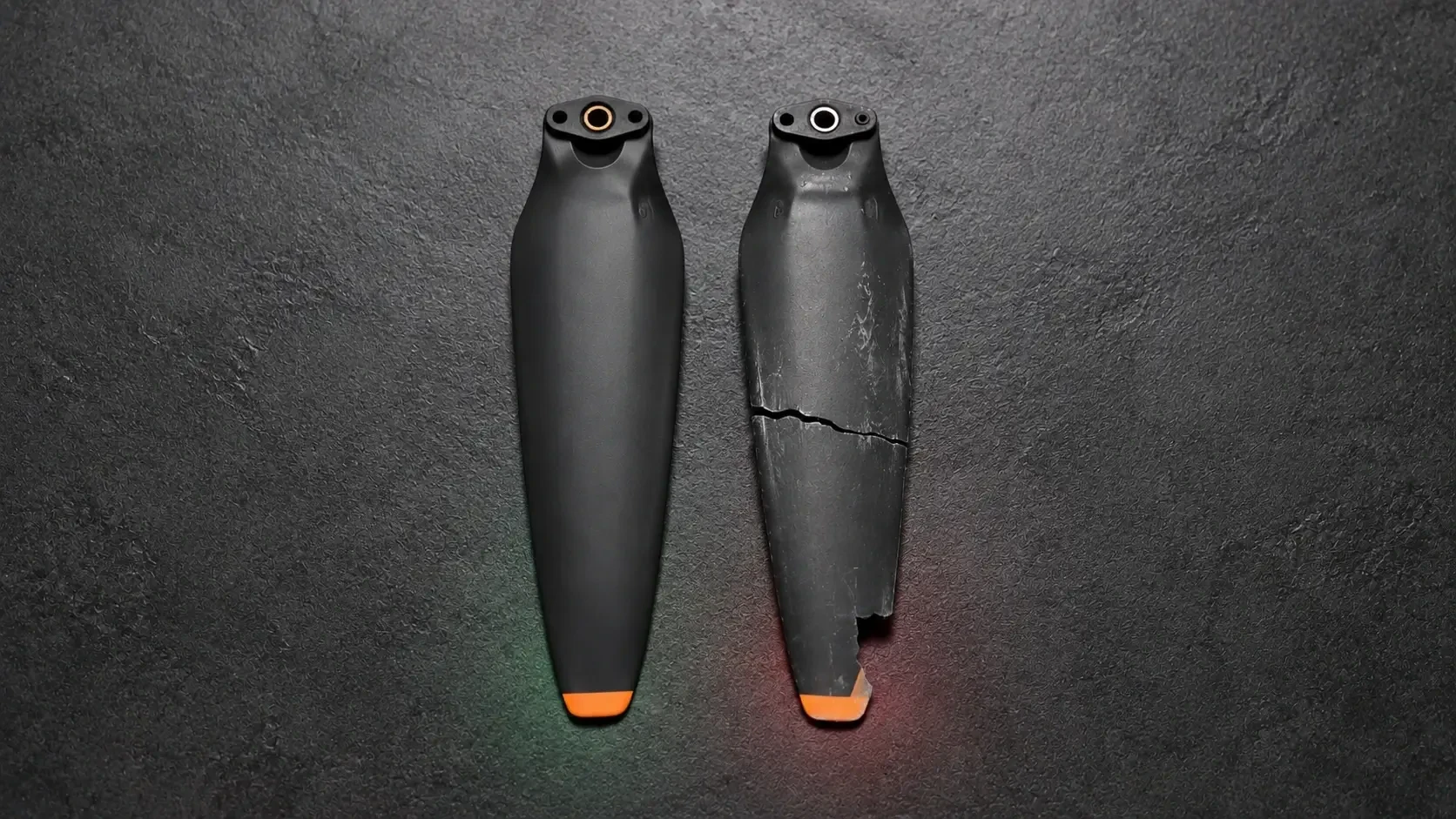
Also inspect your props for cracks or chips before every single flight. Even a small nick in a propeller blade throws off the balance of that motor and causes vibration. This doesn’t just affect takeoff, it affects video quality, flight stability, and it puts extra stress on the motor over time. Props are cheap. Replace them at the first sign of damage.
6. The Flight Controller Needs to Be Reset or Recalibrated
Sometimes the internal IMU (Inertial Measurement Unit) gets confused, especially if the drone was stored for a long time, got bumped hard, or received a firmware update. The drone may think it’s tilting when it’s sitting flat, which causes it to reject the takeoff command.
How to fix it: Open your app and look for an IMU calibration option. Place the drone on a flat, stable surface and follow the on-screen steps. This usually takes about a minute and fixes a lot of unexplained “won’t arm” issues.
A good habit is to place the drone on the ground for 30 seconds before powering it on. This lets the IMU settle and get an accurate baseline reading. Rushing to fly the second you set it down can sometimes cause a false tilt reading, especially on slightly uneven ground.
7. You’re Flying in a Restricted Zone
Geofencing is a feature built into most modern drones that physically prevents them from taking off in restricted airspace, such as near airports, military zones, or government buildings. If you’re in or near one of these areas, the drone will refuse to arm no matter what you do.
How to fix it: Check your app’s map for any restricted zones around your location. Apps like DJI Fly or third-party tools like AirMap will show you the airspace classification. If you’re a licensed pilot and have authorization to fly in that area, you can request an unlock through the manufacturer’s portal. Otherwise, move to a clear zone.
Geofencing zones are also not always obvious. An airport 8km away can still put you inside a restricted buffer zone. Always check the map before you drive out to a location, not when you’re already standing there. Many drone pilots use apps like B4UFLY or Aloft to pre-check locations before heading out.
This is also a good moment to mention that understanding your drone’s full capabilities is key to avoiding these situations. If you’re flying a Mavic series drone, the detailed DJI Mavic 4 Pro review covers everything from safety systems to flight modes, which is really helpful for knowing how your drone behaves before you’re standing in a field scratching your head.
8. There’s a Firmware Mismatch or Update Required
If your drone’s firmware is out of date, or if there’s a mismatch between the drone’s firmware and your remote controller’s firmware, the drone may refuse to fly. This is actually more common than people think, especially after a DJI or other brand app update.
How to fix it: Open your drone’s companion app before heading out to fly. If there’s a firmware update available, run it at home on a full battery, not at the flying field. Make sure both the drone and the controller are updated to matching firmware versions.
One mistake a lot of pilots make is updating the app on their phone but not the drone’s firmware. The app update sometimes changes how it communicates with the drone, and if the drone firmware is still on the old version, they can conflict. Always update both at the same time and never interrupt a firmware update midway through, as that can brick the drone and require a manufacturer repair.
After a firmware update, it’s also a good idea to redo your IMU and compass calibration even if the app doesn’t prompt you to. Updates occasionally reset certain internal settings and a fresh calibration never hurts.
9. The Remote Controller Is Not Properly Linked
If your remote and drone are not on the same connection channel or haven’t been properly paired, the drone might power on and seem fine but simply not respond to your inputs. This is especially common when using a drone for the first time out of the box, after a reset, or when using a new controller.
How to fix it: Follow the linking and binding process in your drone’s manual. For most DJI drones this is done through the app. You’ll typically go to settings, select the remote controller, and tap “linking.” Once the drone beeps and confirms the link, you should be good to go.
Signal interference can also play a role here even after a successful link. Flying near Wi-Fi routers, cell towers, or crowded public areas with lots of wireless traffic can degrade the connection between your controller and drone. If your drone keeps disconnecting or shows a weak signal, try switching to a less congested frequency band if your controller supports it, or simply move away from the interference source.
10. There’s a Hardware Issue (Motor or ESC Failure)
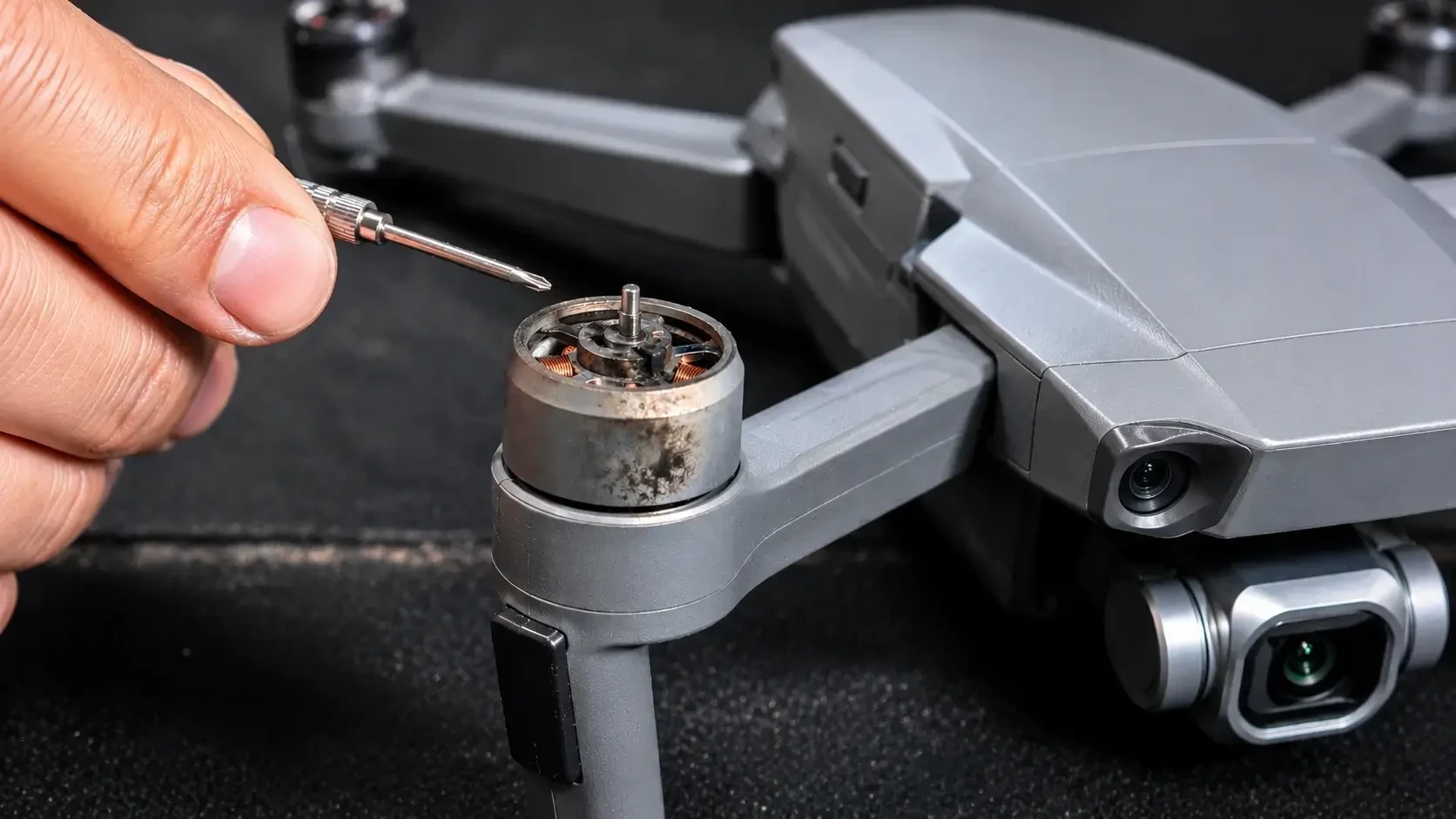
If you’ve gone through everything above and the drone still won’t take off, you may be dealing with a hardware problem. A burnt-out motor, a faulty ESC (Electronic Speed Controller), or a damaged motor arm can all prevent a drone from lifting off. Sometimes one motor doesn’t spin at all, or spins noticeably slower than the others.
How to fix it: Test each motor individually if your app allows it. Listen for any unusual grinding or clicking sounds when you try to spin the motors. Visually inspect the motors for damage, debris, or a burnt smell.
Motor issues are often caused by crashing into water, flying through tall grass or sand, or simply wear over time. Debris wrapped around the motor shaft is one of the most common culprits and it’s easy to miss at a glance. Remove any grass, string, or dirt lodged around the motor base before assuming the motor itself is dead.
If a motor is confirmed faulty, it will need to be replaced. For popular drones like the Mavic series, replacement motors are widely available and relatively affordable. ESC issues are more complex, as the ESC is usually soldered directly to the flight controller board, and may require a visit to a repair center or a warranty claim with the manufacturer.
Quick Checklist Before Every Flight
Running a quick pre-flight check takes about two minutes and prevents the majority of issues covered in this article. Before you power on:
- Battery fully charged and properly seated
- Props installed correctly, tightened, and free of damage
- Flying in an open area with a clear view of the sky
- App and firmware are both up to date
- No restricted zones nearby (checked in advance)
- Remote controller is paired and connected
- Compass and IMU calibrated, especially if it’s a new location
- Weather conditions are suitable (no strong winds, no rain)
Get into the habit of doing this every single time and you’ll avoid the vast majority of “why won’t it fly” situations.
Final Thoughts
Most drone takeoff problems come down to something simple. A low battery, a skipped calibration, a firmware update waiting to run, or props installed on the wrong motors. The key is to be systematic about it rather than randomly pressing buttons hoping something works.
Work through the list one by one and you’ll find the issue faster than you think. And more importantly, you’ll start to understand your drone better with each problem you solve. That knowledge is what separates pilots who panic when something goes wrong from pilots who troubleshoot calmly and get back in the air quickly.
Keep your gear maintained, stay updated, check your airspace, and those frustrating non-takeoff moments will become a rare exception rather than a regular headache.
Happy flying!