
Buying A Used DJI Mavic Pro: A Practical Inspection Guide
October 3, 2026By Arie V. | DroneTrader
A used Mavic can still be a great aircraft. The catch is that an older drone hides its expensive problems better than most cameras or lenses do. A clean shell and a low asking price tell you almost nothing about battery condition, app compatibility, damage history, or whether the aircraft is ready to fly legally where you live.
The right way to buy one is not to ask whether it powers on. It is to give yourself enough time to inspect it, see it connect to a controller and app, and watch a short, safe demonstration flight before money changes hands. If the seller will not allow that, walk away. There will be another Mavic.
1. Confirm exactly what is being sold before you meet
Ask for the exact model, aircraft serial number, controller type, battery count, charger, propellers, gimbal cover, and any case or spare parts. A listing that says “Mavic Pro” can mean an original Mavic Pro, Mavic Pro Platinum, Mavic 2, or a different aircraft entirely. Model details matter for apps, batteries, props, manuals, and rules.
For the original Mavic Pro, DJI’s official product page lists a 734 g takeoff weight with battery and propellers, a 3-axis gimbal, a 3830 mAh Intelligent Flight Battery, and DJI GO 4 as the mobile app. Bring that page and the correct manual with you rather than relying on a seller’s memory.
Ask two simple history questions before you drive over: Has it crashed, landed in water, had a battery swell, or gone to a third-party repair shop? A straight answer does not automatically kill the deal. A vague answer, missing parts, or a seller who says there is no time for a test is a reason to be careful.
Ask for current photos of the actual aircraft, not just a stock image or photos from when it was new. Request one shot of the arms unfolded, one of the gimbal and camera, one of each battery’s label and case, and one of the controller screen or phone connection. This will not prove the drone is healthy. It does make it much harder for a seller to hide obvious damage until you arrive.
2. Start with the airframe, not the app
Inspect the aircraft in good light with the props removed. Open and close each folding arm slowly. You are looking for cracks around the hinges, stress whitening in the plastic, loose screws, uneven gaps, or an arm that does not sit square. A Mavic’s folded shape makes it easy to carry, but its hinges deserve more attention than the flat shell panels.
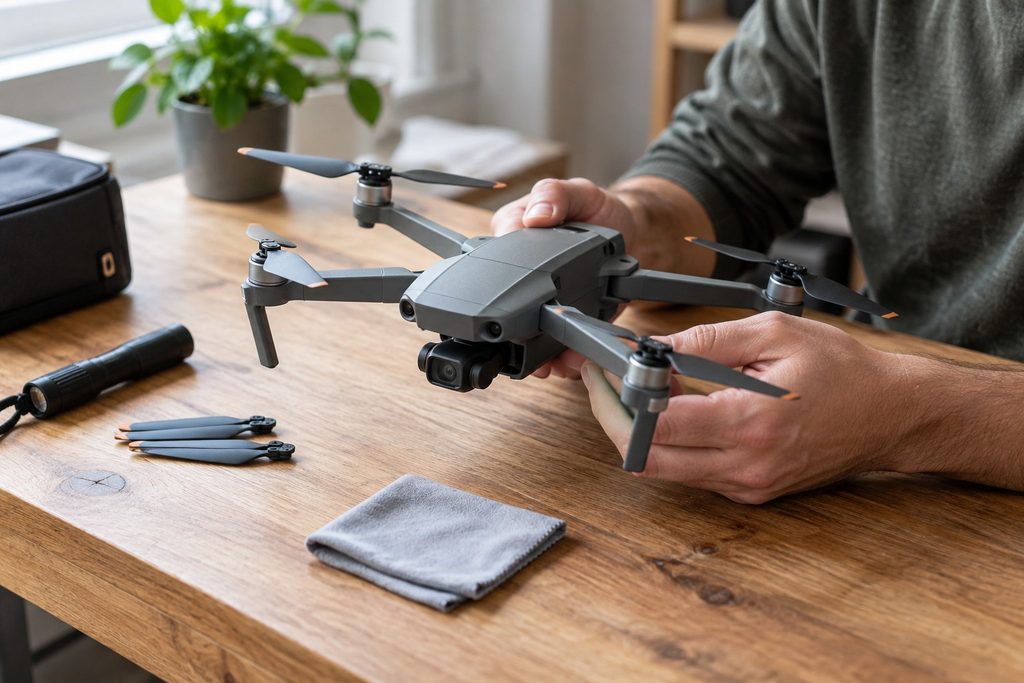
Check the folding arms, motor mounts, props, and gimbal before discussing price.
Check every motor. Rotate each one gently by hand with the aircraft off. They should feel broadly similar, without grinding, a tight spot, or side-to-side play. Look closely for sand, grass, corrosion, or evidence that someone has removed the motor screws. Do not poke anything into a motor to clean it during a sale. Just note the condition and decide whether you are comfortable with the risk.
Then inspect the gimbal. Remove the gimbal cover before power-up. With the aircraft off, look for a bent arm, a torn ribbon cable, a crooked camera, or a gimbal that has been glued back together. During startup, the camera should complete its normal movement and then hold level. A gimbal that shakes, twitches continuously, or throws an error needs a price that accounts for a real repair, not a hopeful reset.
Props are cheap compared with an aircraft, but they are not a place to compromise. DJI’s Mavic Pro manual says not to use aged, chipped, or broken propellers and to check that props and motors are correctly installed and firmly seated before every flight. Plan to replace questionable props before your first flight, even if the seller says they have “only been used a few times.”
Look underneath as well. Scrapes on the landing areas can be normal. Deep gouges, a bent body panel, missing screws, or a battery latch that does not close cleanly are different. They do not prove a crash happened, but they justify more questions and a more careful test flight.
3. Treat every old battery as a separate purchase decision
The battery is where a used drone deal becomes expensive fast. The original Mavic Pro uses a 3-cell, 43.6 Wh Intelligent Flight Battery. That is useful context, but age, storage, heat, impacts, and charging history matter more than the number printed on a listing.
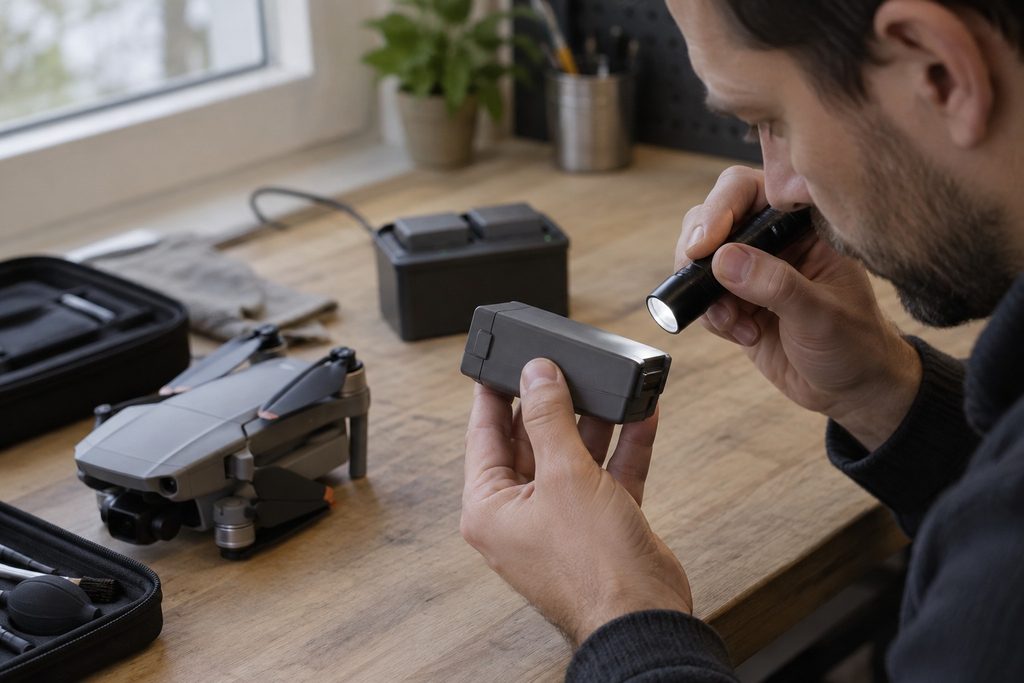
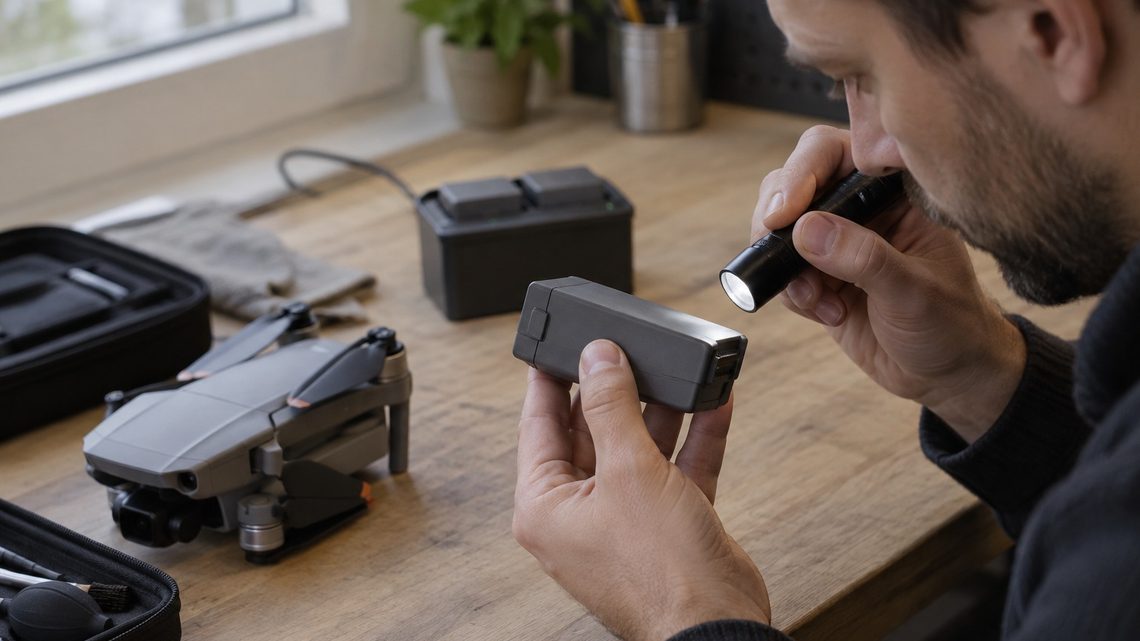
Inspect each battery separately. A swollen, split, leaking, or damaged battery is a stop sign.
Take each battery out. Check the case seam, latch, terminals, and the area around the cells. Do not accept swelling, a split casing, a leaking battery, obvious heat damage, or a battery that was involved in a heavy impact. DJI’s battery safety guidance is direct on this point: do not use or charge swollen, leaky, or damaged batteries. That is a stop sign, not a negotiating point.
Ask the seller to charge every included battery, then connect each one to the aircraft in DJI GO 4. Look for battery warnings and make sure the charge level is believable. A seller should also be able to explain how the batteries were stored. DJI’s guidance for a battery unused for ten days or more is to store it at 40% to 65%, remove it from the aircraft for extended storage, and avoid heat. The battery’s automatic discharge feature does not undo years of poor storage.
Do not assume that a listing with three batteries is automatically better than one with a healthy battery. Price the aircraft on the batteries you can inspect and safely use. Before buying, check current replacement availability from reputable sellers in your country. Availability and condition change, and an unverified spare battery should not be part of the value you pay for.
Bring a small flashlight. Shine it across the battery case rather than directly at it. A side angle is good at revealing a lifted seam or a case that is no longer flat. Do not try to charge a questionable battery just to see what happens. If it cannot be inspected safely, count it as zero value.
4. Prove the app, controller, camera, and firmware work together
The original Mavic Pro uses DJI GO 4, not DJI Fly. DJI still maintains an official Mavic Pro product and download page, including DJI GO 4, manuals, firmware material, and DJI Assistant 2 resources. That is encouraging, but it is not a guarantee that every current phone or tablet will behave perfectly with every old aircraft. The only useful test is the actual aircraft, actual controller, and a compatible phone working in front of you.
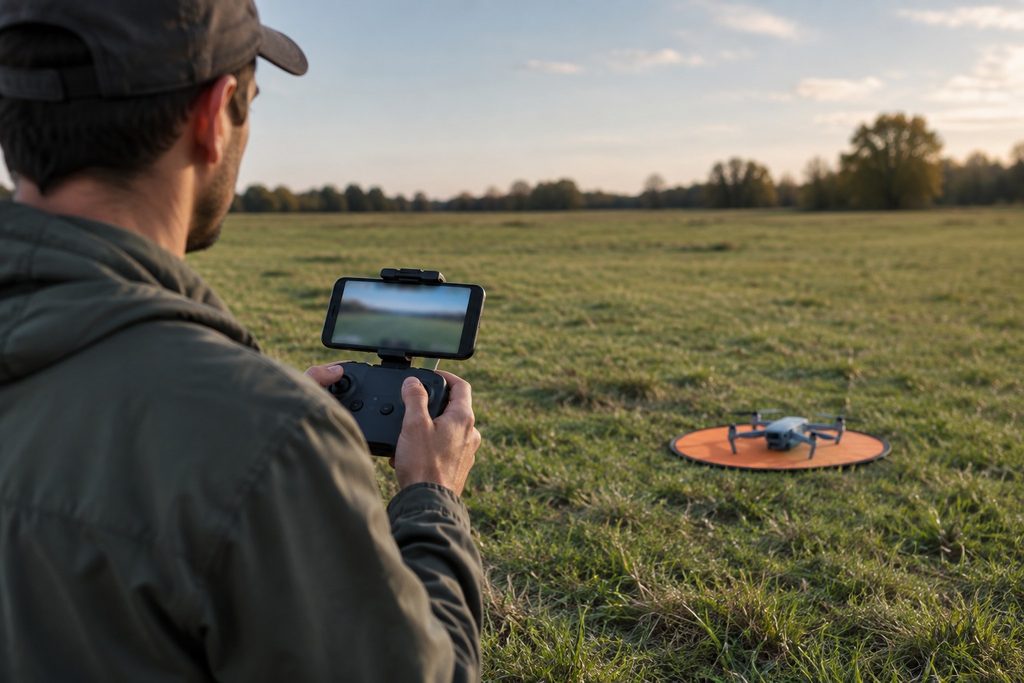
Before buying, confirm that the aircraft, controller, app, camera view, and telemetry work together.
Have the seller connect the controller, aircraft, and phone. Confirm the live camera feed, GPS status, battery information, controller connection, gimbal movement, and flight telemetry. Take a moment to look through the warning messages instead of dismissing them. A notice about a compass calibration or a fresh location can be ordinary. A recurring battery, gimbal, motor, sensor, or controller warning deserves a pause.
Do not confuse controller linking with the newer account-binding pages that apply to other DJI products. DJI’s current DJI Fly account binding guide does not list the original Mavic Pro. For this older aircraft, the sensible used-buying test is practical: the buyer should watch it connect, show a stable live view, respond to the controls, and reveal any warning on the exact device being sold. If the seller says a vague account issue will be “easy to sort out later,” do not pay first and investigate later.
If a firmware update is offered during the meeting, decline it. DJI’s own Mavic Pro material says firmware updates can reset settings such as Return to Home altitude and maximum flight distance, and its product FAQ says both aircraft and controller need adequate power before an update starts. Record the shown firmware versions, finish the purchase decision, then update carefully at home with a charged aircraft and controller. After an update, recheck settings before flying.
There is one more basic test worth doing. With the aircraft powered off, check that the cable from the controller to the phone is secure and that the mobile device is charging normally if the controller should provide power. A flaky cable can look like an app or aircraft problem. It is a cheap problem to solve, but it should not distract you from a real warning in the aircraft.
5. Watch a short, safe demonstration flight
A demonstration flight is not a range test and it is not an invitation to fly near people, roads, or an airport. Pick a legal, open location with room to land. The seller should do the first flight, because it is their aircraft until you buy it. If you are not certain the site is legal, do not make the flight a condition of the sale there. Arrange a different place.
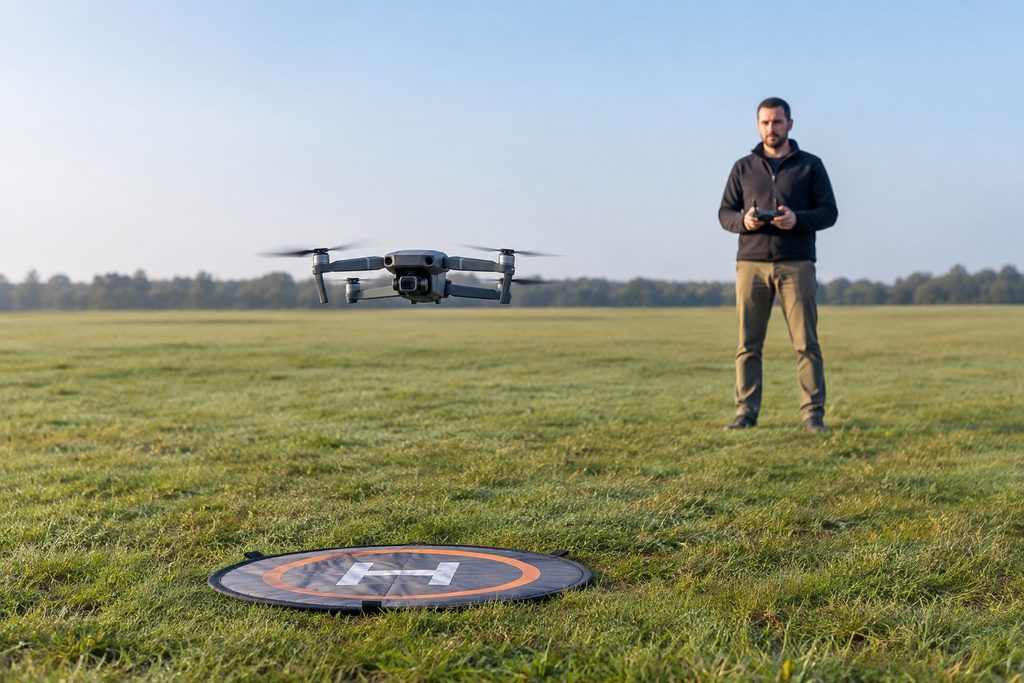
A short test hover should happen only in a legal, open space with room to land.
Watch the full startup. The Mavic should acquire a usable GPS position, show a clear home point, and sit level. During a short hover, look for drifting, vibration in the live view, a tilted horizon, gimbal shake, a hot smell, unusual motor sound, or warnings in DJI GO 4. Watch a modest climb, a slow yaw, gentle forward and sideways movement, a camera tilt, and a controlled landing. The goal is not to test the advertised maximum range. The goal is to spot a fault before it becomes yours.
After landing, feel for abnormal heat only after the props have stopped and the aircraft is powered down. Check the battery latch again. Then let the seller show a second battery if one is included. A single good hover does not prove every battery and every accessory is healthy.
Do not let excitement turn the first flight into a bad decision. If the drone drifts, shakes, or shows a warning, stop there. You do not need to diagnose and repair somebody else’s aircraft in a parking lot. You need enough information to decide whether the aircraft is worth buying.
Once you own the aircraft, use the Mavic Maniacs guide “Drone Not Taking Off? 10 Reasons And How To Fix Each One” as a troubleshooting companion if a later setup issue appears. Do not attempt to work around a warning just to make a used purchase feel successful.
6. Remote ID and registration are part of the price
This is the check many used-drone listings miss. A drone can be mechanically sound and still cost more than expected to fly legally. The original Mavic Pro’s official 734 g takeoff weight is well above the United States’ under-250 g recreational-registration exception. In the United States, the FAA says drones that are required to be registered, or are registered, must comply with Remote ID.
Do not take a seller’s word that an older Mavic is already compliant. The FAA tells owners to check whether the exact drone or Remote ID broadcast module appears in an FAA-accepted Declaration of Compliance. If the aircraft is not a Standard Remote ID drone, the FAA describes two other ways to comply: attach a Remote ID broadcast module, or fly without Remote ID only inside an FAA-Recognized Identification Area. A broadcast module adds cost and must be registered correctly. The FAA says recreational flyers using a module need to list the module’s Remote ID serial number for each non-Standard-Remote-ID drone in their inventory, and must keep the drone in sight while operating with that module.
For a recreational U.S. flight, the FAA also requires the appropriate registration, the TRUST test and proof of passage, visual line of sight, and airspace compliance. Controlled airspace needs authorization. Remote ID does not replace any of those checks. A Remote ID module is not a permission slip to fly wherever you want.
Canada is different. Transport Canada says a drone weighing at least 250 g must be registered and clearly marked with its registration number. A 734 g Mavic Pro is over that threshold. The correct Canadian pilot certificate and operation category depend on what you fly, how you fly, your distance from people, and airspace. Do not apply a U.S. Remote ID checklist to Canada without checking current Transport Canada rules.
That makes the pre-purchase question simple: where will you actually fly this aircraft, and what will it cost to meet the rules there? Find that out before you negotiate the price, not after the seller has left.
7. What to bring to the inspection
A little preparation keeps the meeting simple. Bring a phone or tablet that can run DJI GO 4, the correct cable for the controller if you have one, and a small flashlight. Bring a copy of the original Mavic Pro manual or save it offline. Cell service is unreliable in some flying spots, and you do not want to search for a basic warning while the seller is waiting.
Agree in advance that the inspection will include a visual check, power-up, live view, gimbal test, and a short legal demonstration flight. Be honest about your level of experience. If you are new, bring an experienced pilot or arrange the purchase near a place where a qualified person can look at it. A second set of eyes is often worth more than a small discount.
Have a maximum price before you arrive. If the batteries are questionable or an important accessory is missing, lower that price based on current replacement cost. Do not negotiate against yourself because you drove an hour to see it. Travel time is cheaper than a bad aircraft.
8. A printable walk-away checklist
Bring this list to the meeting. If you cannot check a major item, treat it as unknown rather than assuming it is fine.
- ☐ Exact model, aircraft serial number, controller, charger, batteries, props, and accessories match the listing.
- ☐ Seller disclosed crashes, water exposure, repairs, and battery issues.
- ☐ Folding arms, shell, motors, gimbal, cables, props, and battery latches show no serious damage.
- ☐ No swollen, leaking, split, overheated, or impact-damaged battery is included in the value.
- ☐ Aircraft, controller, DJI GO 4, camera live view, gimbal, GPS, and telemetry work together.
- ☐ No unresolved warning appears during startup or a controlled short flight.
- ☐ Every included battery is checked, not just the one used for the demo.
- ☐ Buyer knows the current local registration, Remote ID, certificate, airspace, and safe-flight requirements.
- ☐ Seller will allow time to inspect. No pressure to pay before a basic verification.
Walk away if the Mavic will not demonstrate its core functions, the seller refuses a reasonable inspection, a battery is unsafe, a gimbal or motor fault is unexplained, or the rule and app questions are being waved away. A used aircraft should leave you with a project you chose, not a surprise you inherited.
Sources
- Federal Aviation Administration, Remote Identification of Drones
- Federal Aviation Administration, How to Register Your Drone
- Federal Aviation Administration, Recreational Flyers
- Transport Canada, Registering your drone
- Transport Canada, Drone operation categories and pilot certificates
- DJI, Mavic Pro product information
- DJI, Mavic Pro download center
- DJI, Mavic Pro User Manual
- DJI, Mavic Pro Intelligent Flight Battery Safety Guidelines
Author bio
Arie V. writes for DroneTrader, a marketplace for buying and selling drones.